Table Of Content
Quick Guide
V4 Functions P1
V4 Functions 2
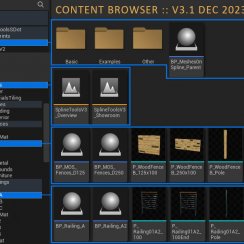
Ver History
Spline Tools Quick Guide 2026
Quick Guide for the Spline Tools: Railings and Fences released first 2026-05-08 for Unreal Version 5.5 and later.
This version now has style options instead of having to place a different blueprint for each style.
This part introduces the new blueprints for Railings and Fences.
Content:
 Documentation Archive 2025
Getting Started
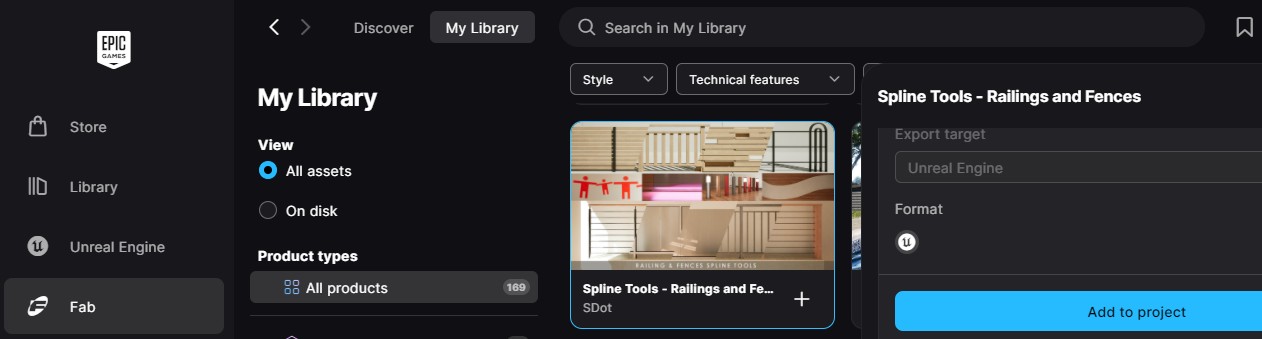
Add to Project
Use the Epic Games Launcher or the FAB plugin to add the Spline Tools to an existing project.
Updating older Version
Confirm overwriting existing files. Minor adjustments may be needed for blueprints that use the function library.
Demo Levels
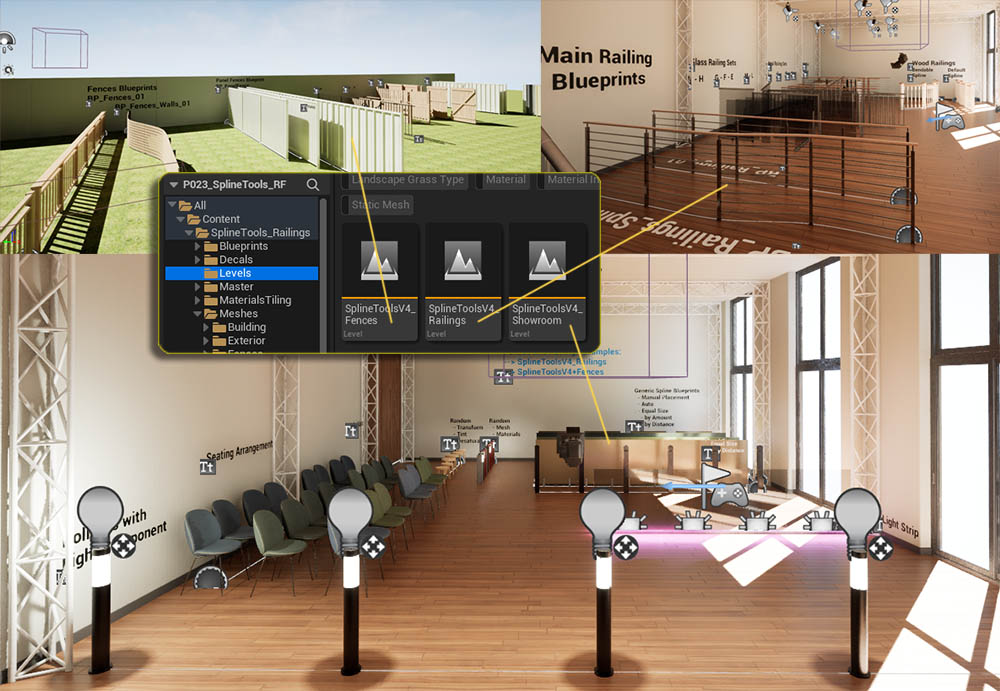
There are 3 demo levels available
- Showroom - generic blueprints and blueprints for decals, lights, and random options
- Railings - has the new railing blueprints with style options and all available railing module meshes placed.
- Fences - has the new fences blueprints with style options and all available fence module meshes placed.
Blueprints Folder
The main railings and fences blueprints can be found here. Examples can be found in the Railings and Fences levels.
BP_Generic
Contains generic blueprints that should cover most cases where splines could be useful. Examples can be found in the Showroom level.
BP_Advanced
Contains some examples of how to use the blueprint library nodes. Examples can be found in the Showroom level.
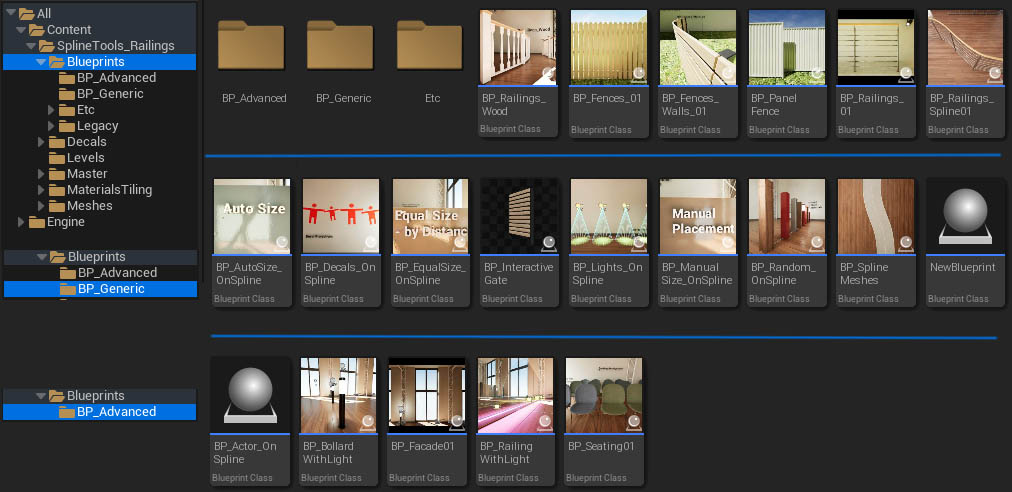
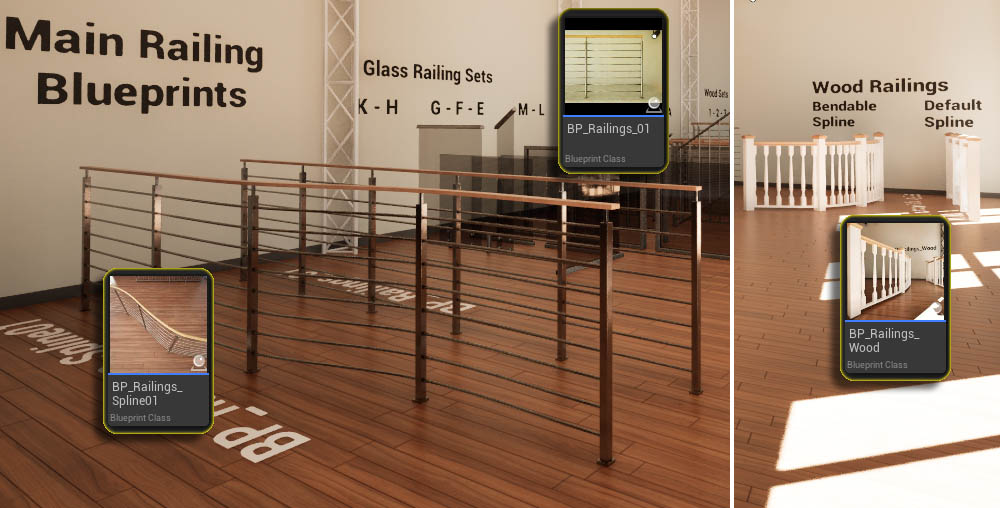
Blueprints for Railings
- BP_Railings_01
- BP_Railings_Spline01
- BP_Railings_Wood
NOTE: Blueprints can also be found inside the folders where the meshes are located. These blueprints are legacy and are only there for compatibility with older versions.
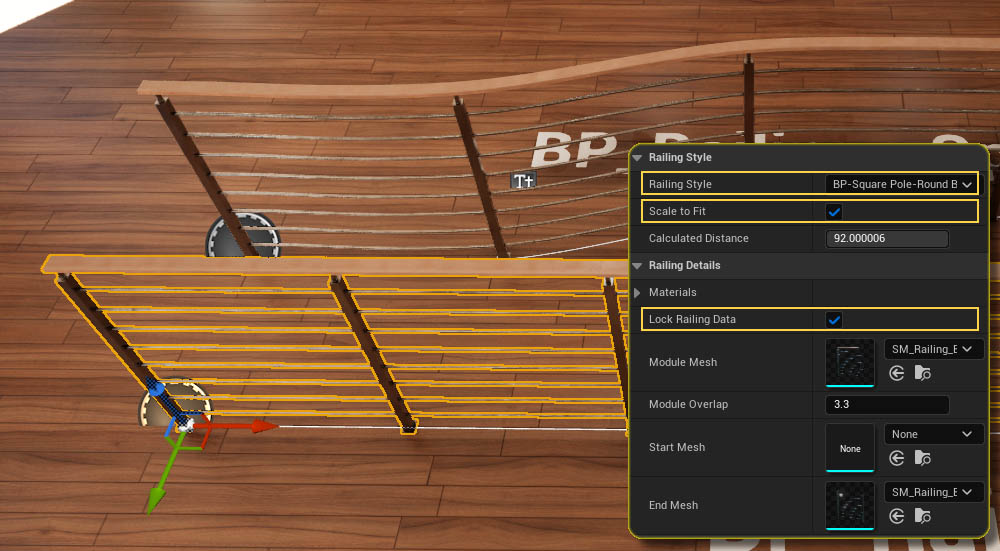
BP_Railings_01 Settings
This blueprint is for mostly straight railings. The spline can be curved but the modules won't bend.
| Railing Style | The style for the railing |
| Scale To Fit | Scales the railing modules so they fill the entire spline. |
| Lock Railing Data | Locking the data received from the data table. The data can be modified if the box is unticked. |
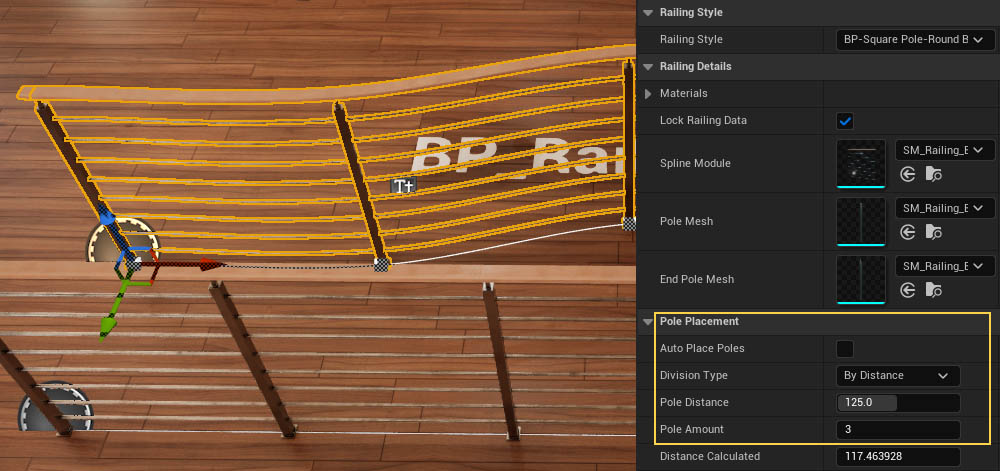
BP_Railings_Spline01
This blueprint uses separated pole meshes. The railing can bend along the spline. The distance between poles can be modified.
| Pole Placement | |
|---|---|
| Auto Place Poles | Poles are placed where two modules meet. Untick to use below settings |
| Devision Type | How the poles are placed |
| Pole Distance | The approximate distance between poles |
| Pole Amount | The amount of poles between start and end point |
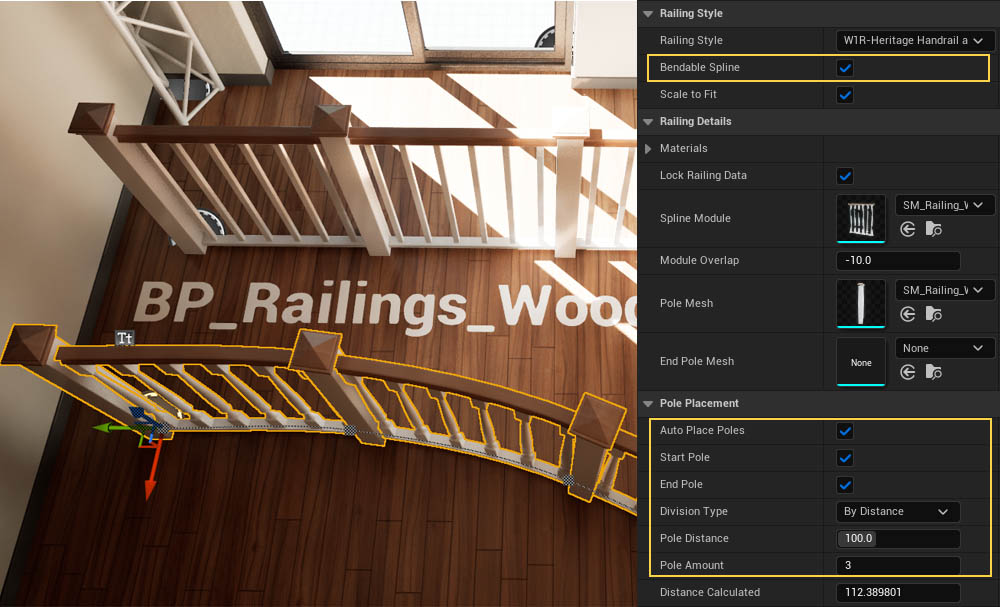
BP_Railings_Wood
This is a modified version of the above blueprints made especially for wooden railings.
| Bendable Spline | The spline modules bend to match the spline shape. |
| Pole Placement | |
|---|---|
| Auto Place Poles | Poles are placed where two modules meet. Untick to use below settings |
| Start Pole | A pole is placed at the start of the spline |
| End Pole | A pole is placed at the end of the spline |
| Devision Type | How the poles are placed |
| Pole Distance | The approximate distance between poles |
| Pole Amount | The amount of poles between start and end point |
Blueprints for Fences
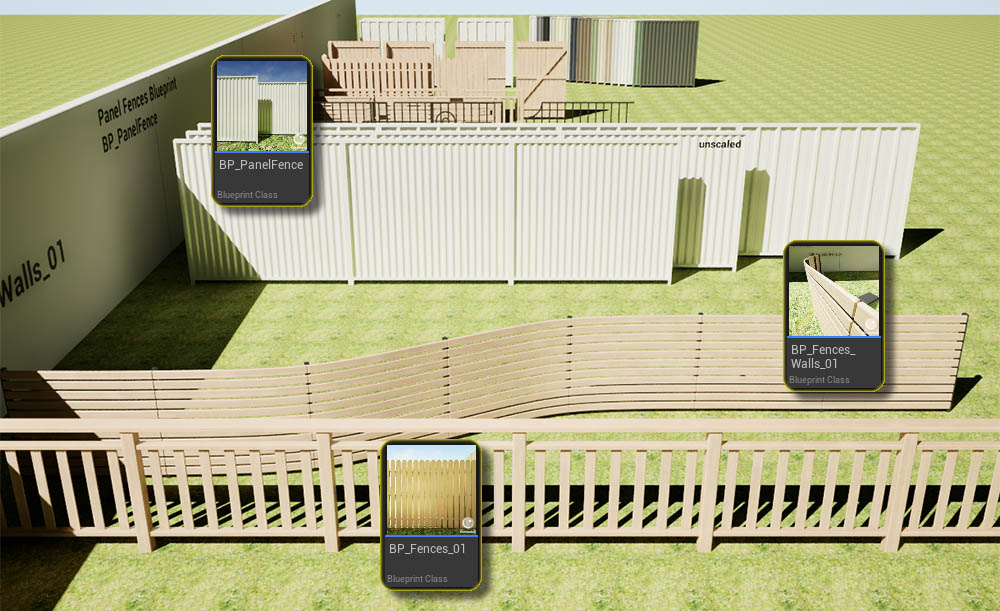
- BP_Fences_01
- BP_Fences_Wall_01
- BP_PanelFence
NOTE: Blueprints can also be found inside the folders where the meshes are located. These blueprints are legacy and are only there for compatibility with older versions.
BP_Railings_01 Settings
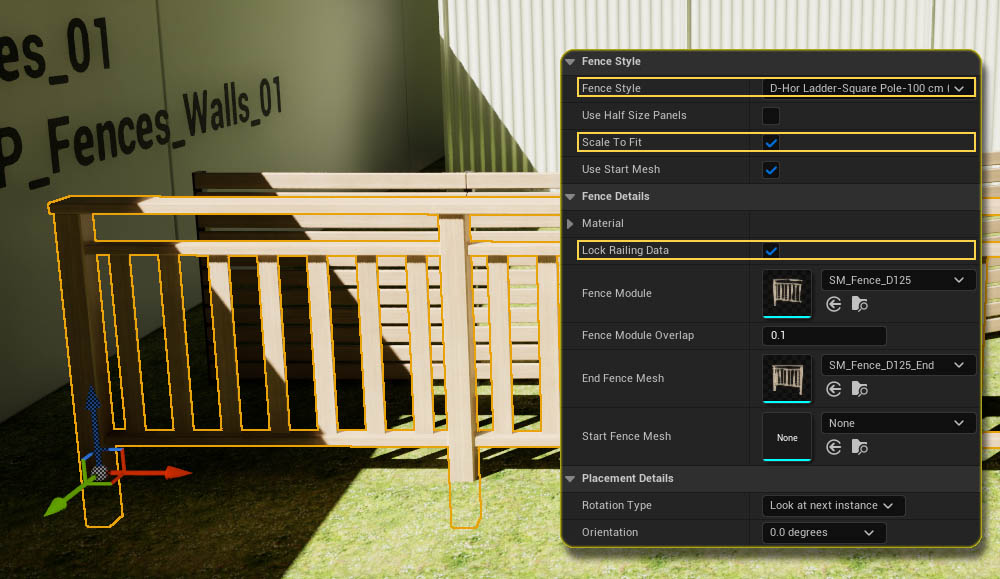
This blueprint is for mostly straight fences. The spline can be curved but the modules won't bend.
| Fence Style | The style for the fence |
| Scale To Fit | Scales the modules so they fill the entire spline. |
| Lock Railing Data
(Lock Fence Data) |
Locking the data received from the data table. The data can be modified if the box is unticked. |
BP_Railings_Spline01
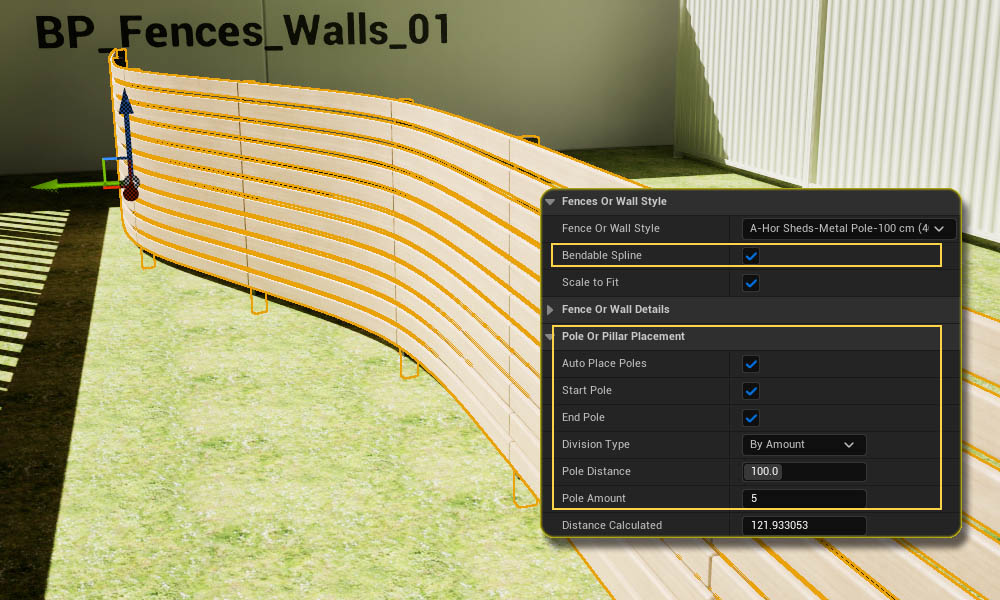
This blueprint uses separated pole meshes. The railing can bend along the spline. The distance between poles can be modified.
| Bendable Spline | The Fence meshes are bended to match the shape of the spline |
| Pole or Pillar Placement | |
|---|---|
| Auto Place Poles | Poles are placed where two modules meet. Untick to use below settings |
| Start / End Poles | Poles are placed at the start or end of the spline |
| Devision Type | How the poles are placed |
| Pole Distance | The approximate distance between poles |
| Pole Amount | The amount of poles between start and end point |
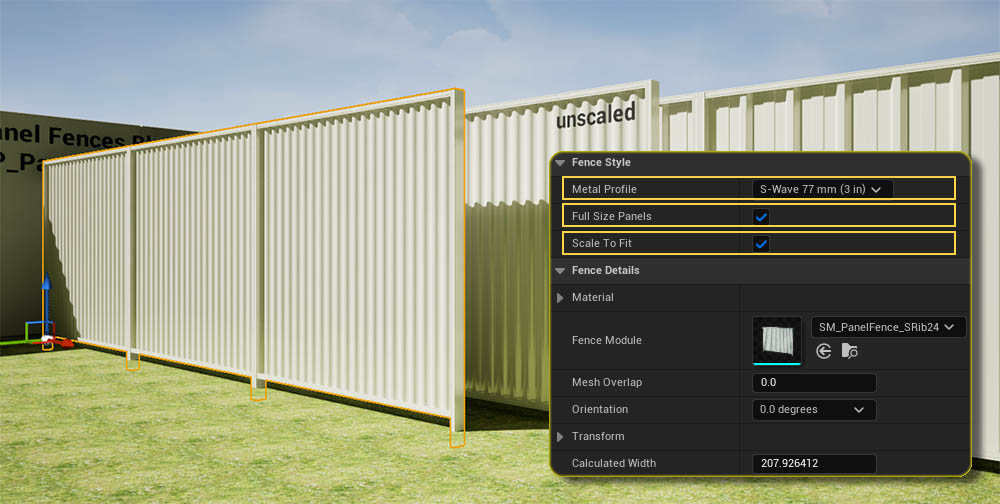
BP_PanelFence
This places Metal Panel Fences.
| Metal Profile | Choose a common profile from the list |
| Full Size Panels | Weather to use full or half size panels per module |
| Scale To Fit | Scales the modules so they fill the entire spline. This can impact the accurate look of the panels but is unnoticeable most of the times. |
Generic Blueprints
Generic Blueprints can be used to quickly create meshes along a spline. This could be a railing, a row of benches, deco objects or vegetation.
They can be found in
- Blueprints / BP_Generic
- Blueprints / BP_Advanced
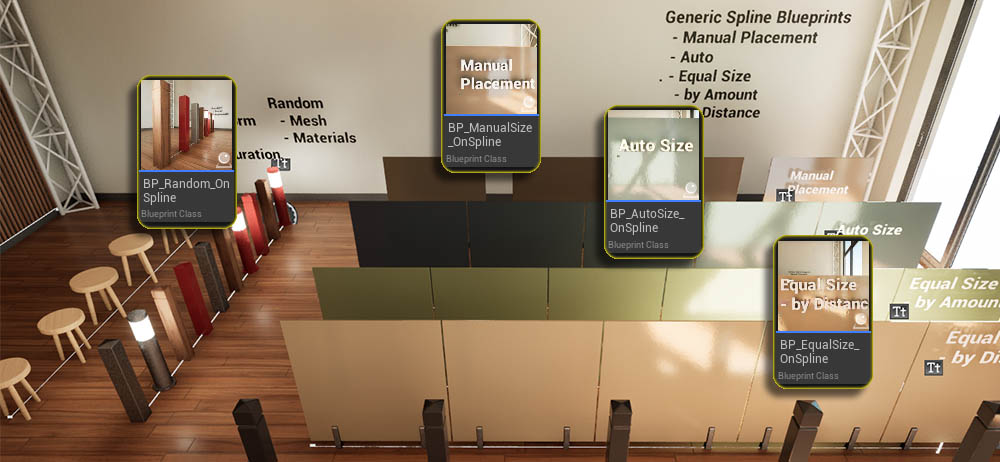
- BP_EqualSize_OnSpline
- BP_AutoSize_OnSpline
- BP_ManualSize_OnSpline
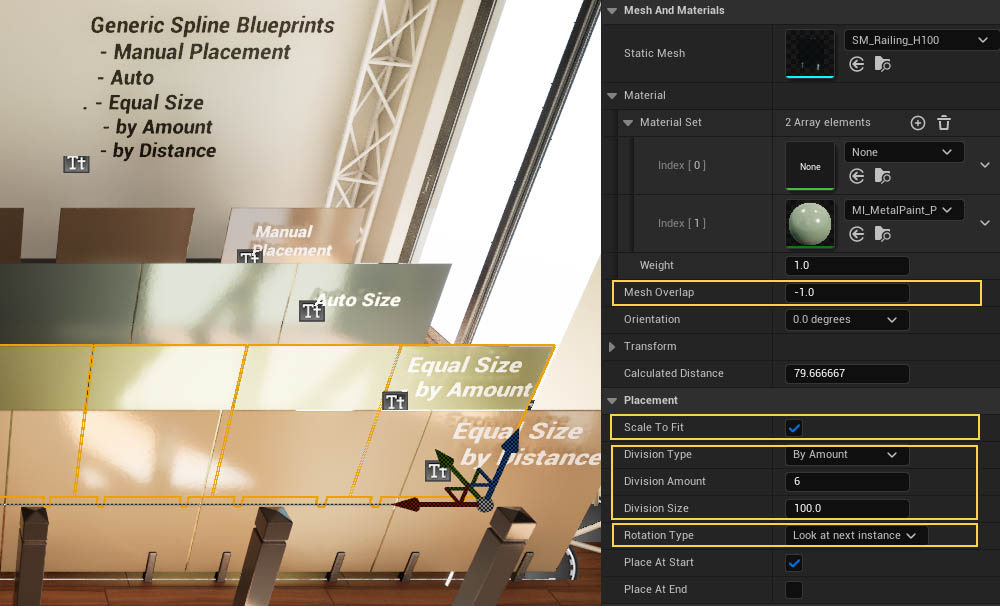
These blueprints offer different ways to divide the spline length.
| Mesh Overlap | How much the modules overlap. Negative values will cause a gap |
| Scale To Fit | If the mesh modules will be scaled to fill the space assigned |
| Division Type | How the spline length will be divided |
| Rotation Type | How the module is rotated in Z |
Random Placement
Random Meshes or Materials
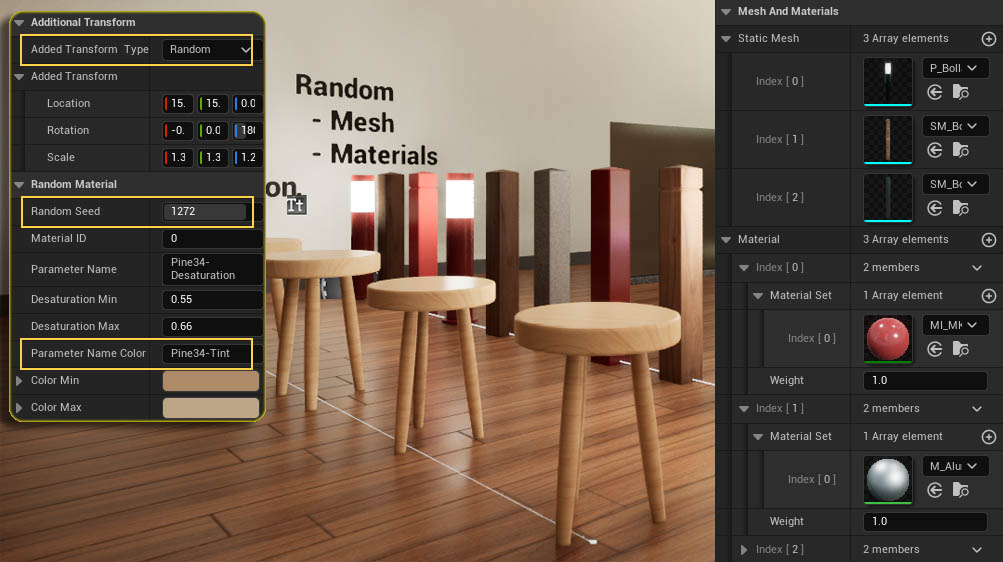
Some blueprints offer a mesh array. A random mesh will be placed from the array.
Materials are placed as sets as the mesh can have more than one material id. A random material set will be picked.
Random Transform or parameter
| Transform Type | Random: Random Transform Incremental: Transform is multiplied by module index |
Random Material Parameter
| Parameter Name | Name of a scalar parameter, like desaturation or hue |
| Paramter Color Name | Name of a vector paramter, like a color |
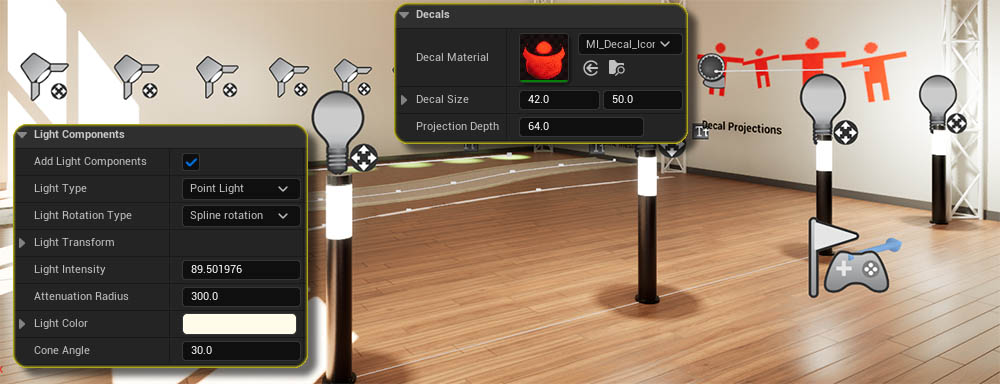
Lights and Decal Actors
Some blueprints offer to add light components or decal actors
Light Components
| Add Light Component | Ads a light to each placement point |
| Light Type | Point, Spot, or Planar |
| Rotation Type | Rotation in Z axis relative to spline direction |
| Light Parameters | Some standard light settings can be set. |
Decal Actors
| Decal Materials | Needs to be a valid Unreal Engine decal material |
| Decal Size | The projection size of the decal |
| Decal Depth | How far the decal is projected. |
 Top of page