Pages in Private work

Doors Archi..

Holder St, ..
Architect D..
Jeremy and ..

Tamarama Be..
Swap 2025
UI Design
Swap Actor 2025
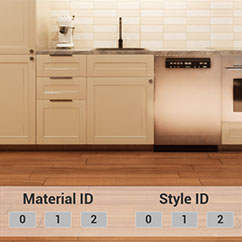
The blueprint actor BP_KitchenBuilder_Swap2025 connects the kitchen to a user interface. This allows changing most materials and the general style of the kitchen in run-time.
NOTE: the kitchen cannot be constructed in run-time, only in the editor.
Content:
Widget
W_KitchenSwapsMenu
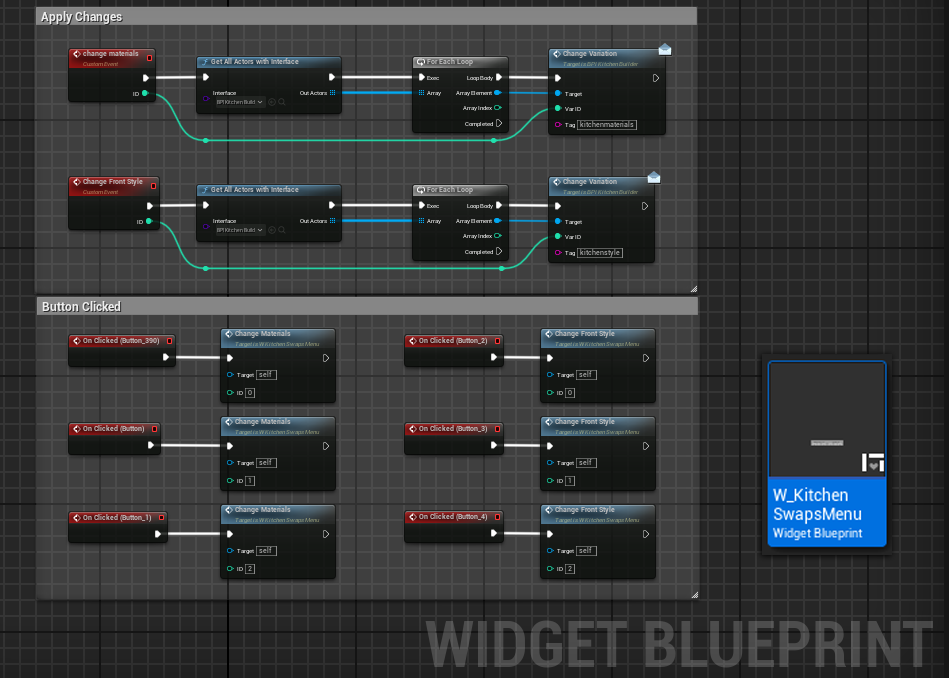
The widget has two groups of 3 buttons. One group for changing materials and the other group for changing the style.
All actors with the interface are collected when a button is clicked and the widget sends a specific Tag (eg. kitchenmaterials) with the ID number to all the collected actors.
The function from the blueprint interface is executed if its tag name matches the received tag name and the element in the kitchen will be changed to the variation with the sent ID.

Connect Kitchen and Swap Actor
BP_KitchenSwapActor2025
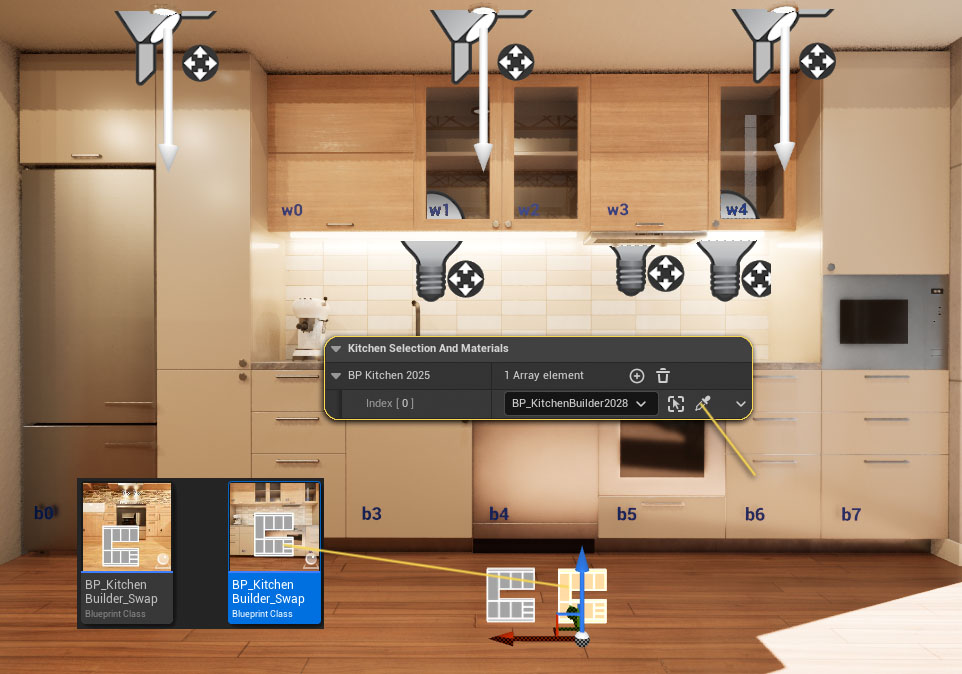
There are 2 different swap actors in the content browser. Make sure you use the 2025 version.
Place the actor near the kitchen blueprint.
NOTE: Two actors are used in the example, one for materials and one for styles. This could also be done with just one actor.
Kitchen Selection
Add an array element for each kitchen that should be connected to the swap actor.
Then use the eye dropper to connect the kitchen to the swap actor. Both actors need to be in the same level, or the link won't work.

Handle Variations
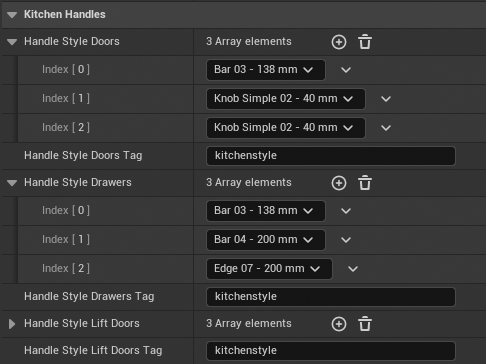
Handles can be changed separately for
- Door Handles
- Drawer Handles
- Lift Door Handles (doors that open upwards)
Otherwise it works the same way as explained for the kitchen styles above.
Using the same Tag will make the sets change at the same time with one button.


 Top of page