Table Of Content
Quick Guide 2026
System Drawings
Custom Assets
Swap 2025
Ver History
Custom Meshes And Materials
How to add custom assets to the kitchen blueprint.
- Materials, and material instances from existing master materials.
- Placing custom or external meshes within the blueprint logic.
Content:
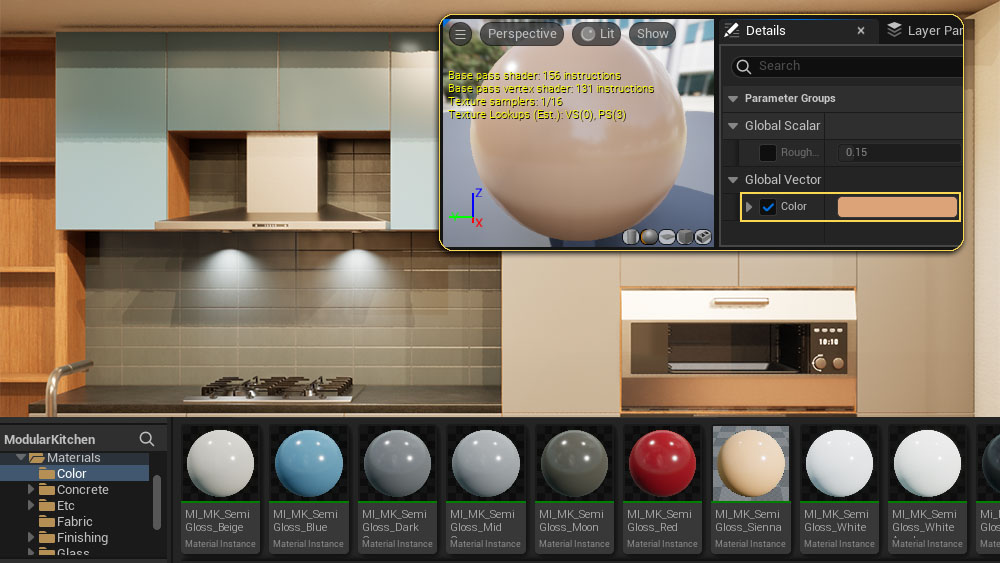
Color Materials
ModularKitchen / Materials / Color
Make a copy of any of the other material instances in the folder and then change the Color value and rename it.
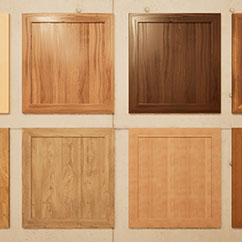
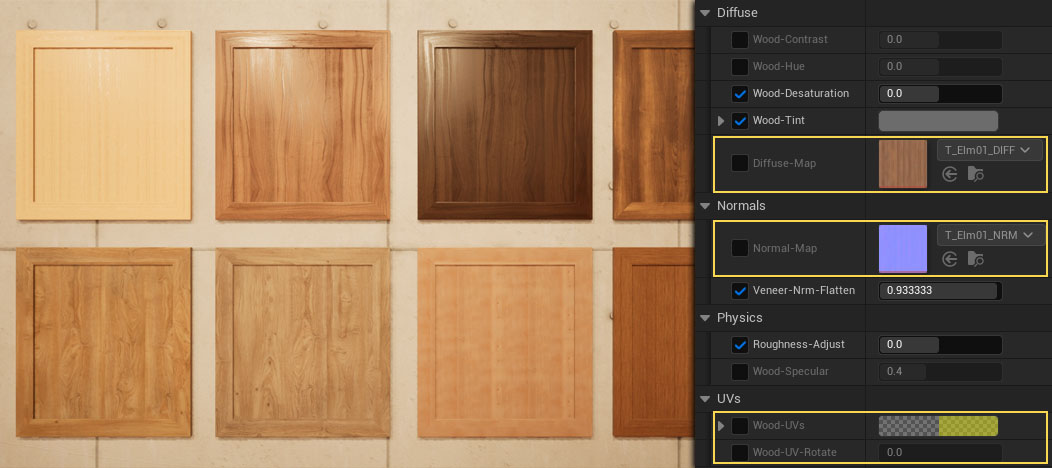
Wood Materials
ModularKitchen / Materials / Wood.
Duplicate one of the existing wood materials and rename it.
Textures.
You'll need at least a color/diffuse and a normal map.
Set the Flatten Normal value to 1.0 if you do not have a normal map.
UVs.
You'll need a horizontal and a vertical aligned version of the wood material. Use Wood-UV-Rotate to create the other material.
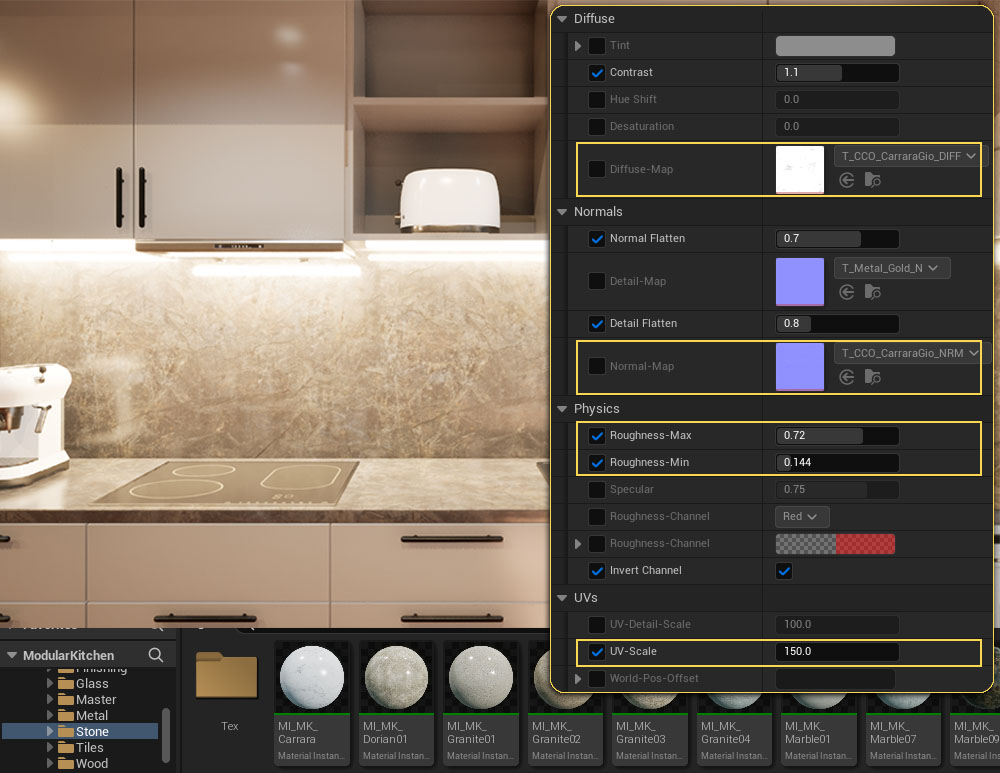
World Tiling Bench Materials
Bench and splash back materials are world tiling to look seamless when stretching over multiple meshes.
Textures
Add a Diffuse Map and a Normal Map and adjust Normal Flatten if necessary.
Roughness
The red diffuse map channel is used for roughness and can be adjusted with the Min and Max Roughness value.
UVs
UV Scale will scale the texture where a larger value will upscale the texture. The default is 100. A value of 150 will scale the texture by factor 1.5. This is different to non-world-tiling materials
Custom Meshes
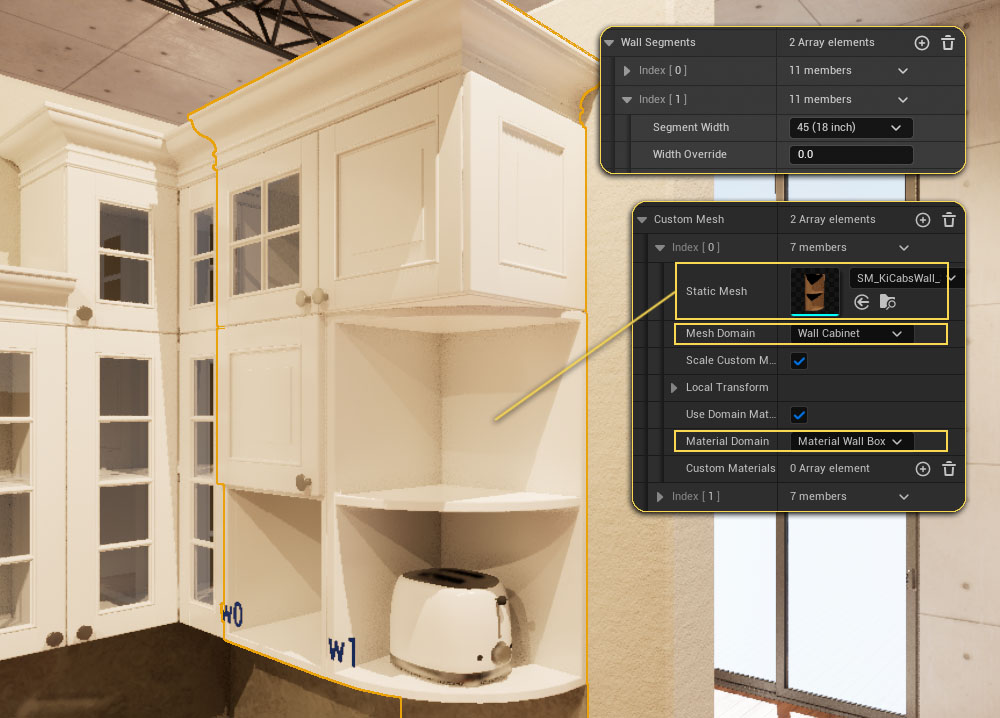
Kitchen Segments do have a Custom Mesh array. External meshes can be integrated into the kitchen blueprint when added to this array.
Static Mesh
Best to place the mesh at the origin (0,0,0) of your modeling app.
Mesh Domain
The location where the mesh will be initially placed. Selecting Wall Cabinet would place the mesh at the same spot as a wall cabinet would be placed. (left side of the segment at the wall)
Local Transform can be used to position the custom mesh
Material Domain
The default material of the material domain will be applied if Use Domain Material is clicked. Otherwise Custom Materials can be applied.
Custom Handles
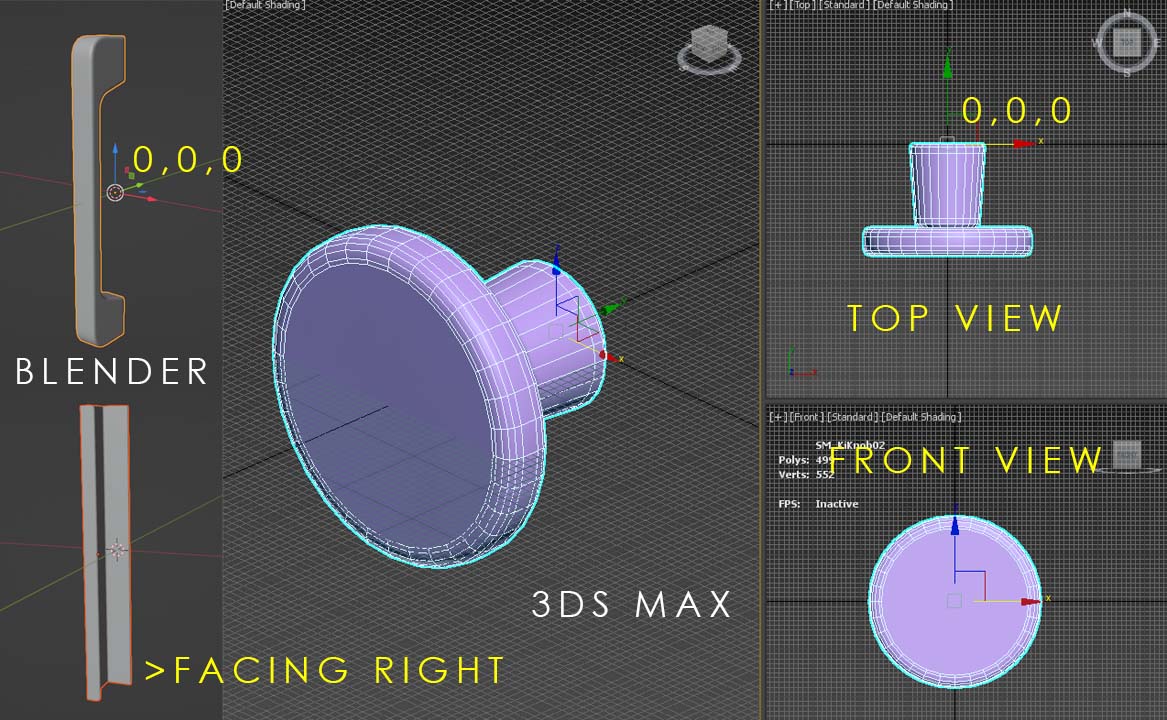
Handle meshes are best placed with their origin at 0,0,0 in the modelling software and face to the right. - See the image for examples.
Transform could be used to adjust the handle position in unreal but its best to have the handle in the correct spot in the first place.
Unreal doesn't have a pivot object and uses the 0,0,0 origin of the mesh instead which is another reason to have the handle placed at origin in the modeling software.
 Top of page