Table Of Content
New in 2026
Quick Guide
Video Guides
Getting Started
UI Design
Var Actor
Edit Scene
Designer
Feat. w. Preview
Other Features
Modes
Blueprints
Cost Reports
Multi-Unit-Prj
Google Sheets
FAQ & Tips
Fix Bugs
Updating
Version History
Supporting Blueprints For UI3
Supporting blueprints that come with UI3.
- Location actor
- Walkable mesh marker
- Cost group
- Layout Swap
Content:
Location Marker
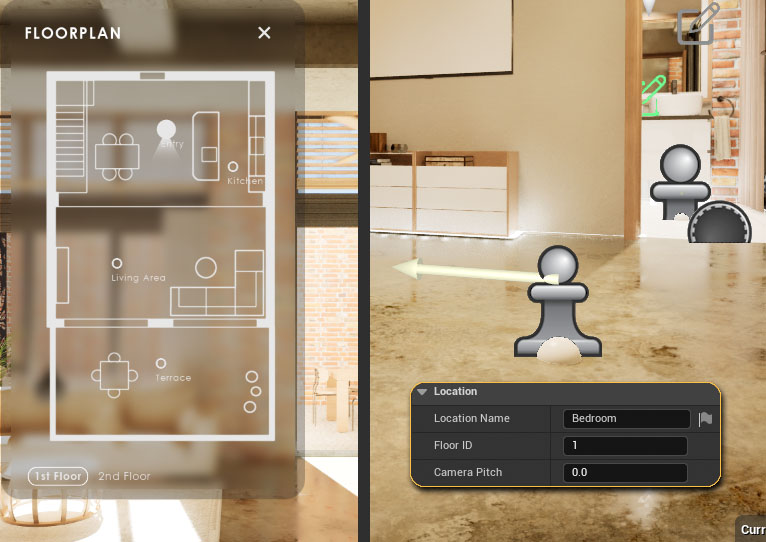
BP_SDotUI3_LocationPlace one in any quick teleport location.
Location Name
The name will appear in the floor plan, if names are generally enabled.
Floor ID
The index of the floor drawing the actor should show up in.
Walkable Mesh Tagger
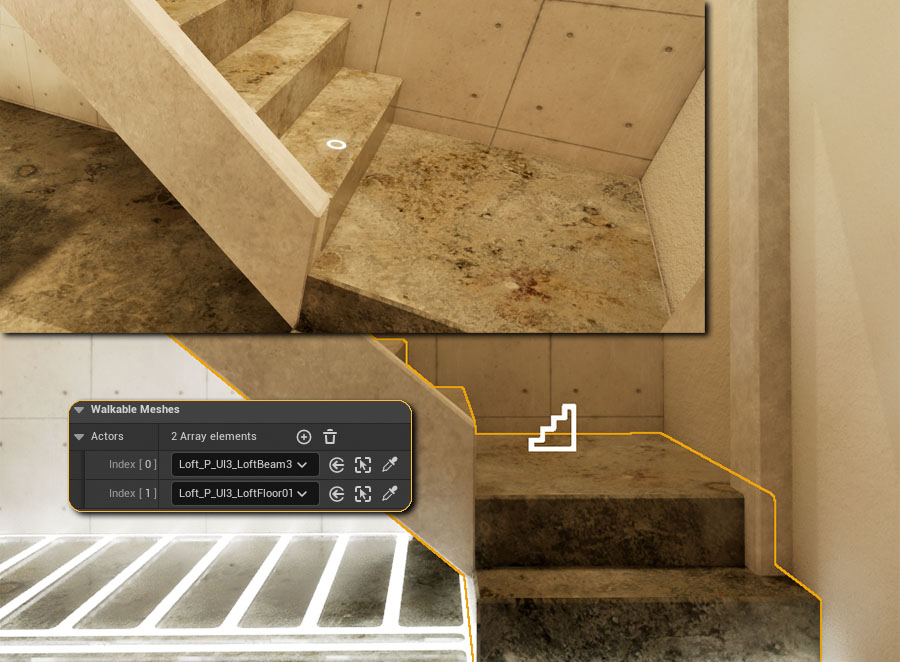
BP_SDotUI3_WalkableTarget / Mouse Move
Meshes that are at the same height as the player is standing on are automatically considered a walkable mesh. Other meshes, like stairs need to be marked. This actor does just that.
Walkable Meshes
Place the blueprint near a meshes that the player should be able to walk on and add it to the array.
Note that this doesn't replace collision. It just lets the UI know that the mesh can be used for Target Move. Every Mesh in the scene that is within the players range needs to have a collision.
Cost Group
BP_SDotUI3_CostGroup
This blueprint can add a list of cost items to a sub level. This is to track additional costs that occure when adding a streaming sub-level.
The actor needs to be placed in the streaming level.
 UI3 Cost Tracking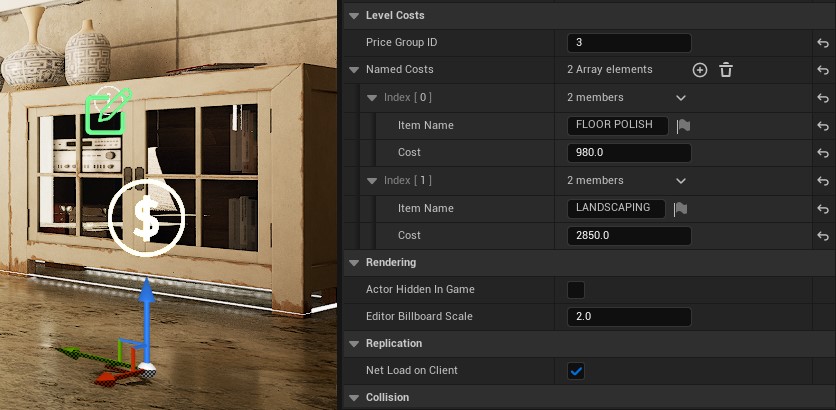
UI Layout Changer
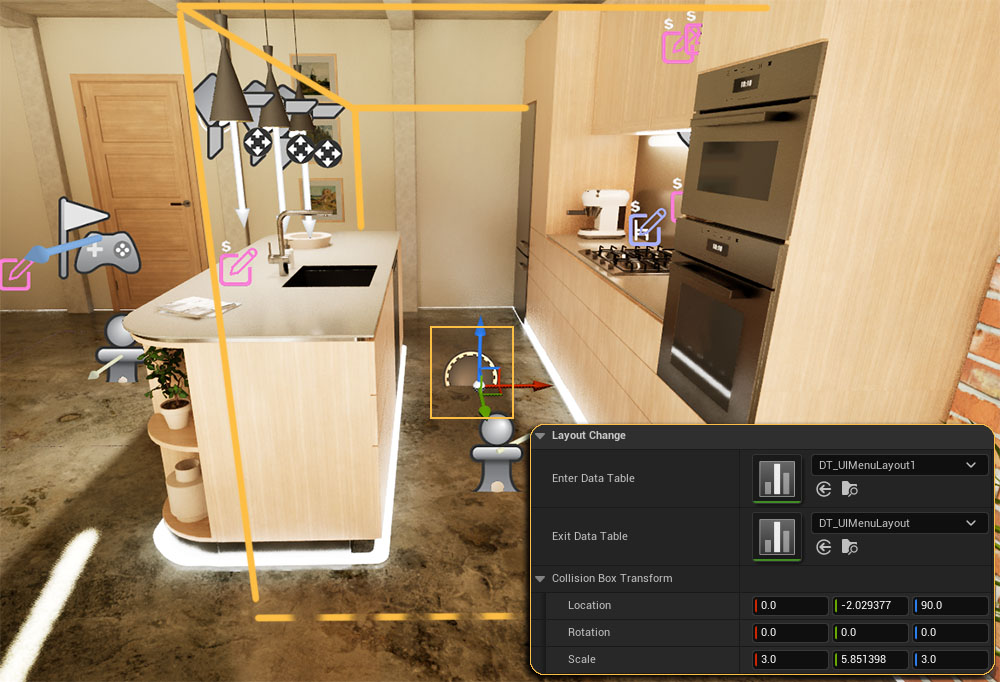
The Layout Changer can remove menu items when the user enters its collision box.
Enter / Exit Data Table
The interface will load the layout defined in the Enter Data Table and then load the interface defined in the Exit Data Table (usually the originally defined layout)
Collision Box Transform
Transforms the yellow collision box
Experimental! - This cannot replace the current menu layout with a different one in run-time.
Doors Blueprint
This is a custom build blueprint for the UI3. It allows to change the material and door style.
Material
This array holds the materials to switch to by the Designer widget. They match the buttons set up in the Designer.
Tag The tag names are fixed in the blueprint.
- bldg_doors for changing materials
- bldg_doors for changing the door style
follow the link below to get my full-fletched blueprint from FAB
 Interactive Door Blueprint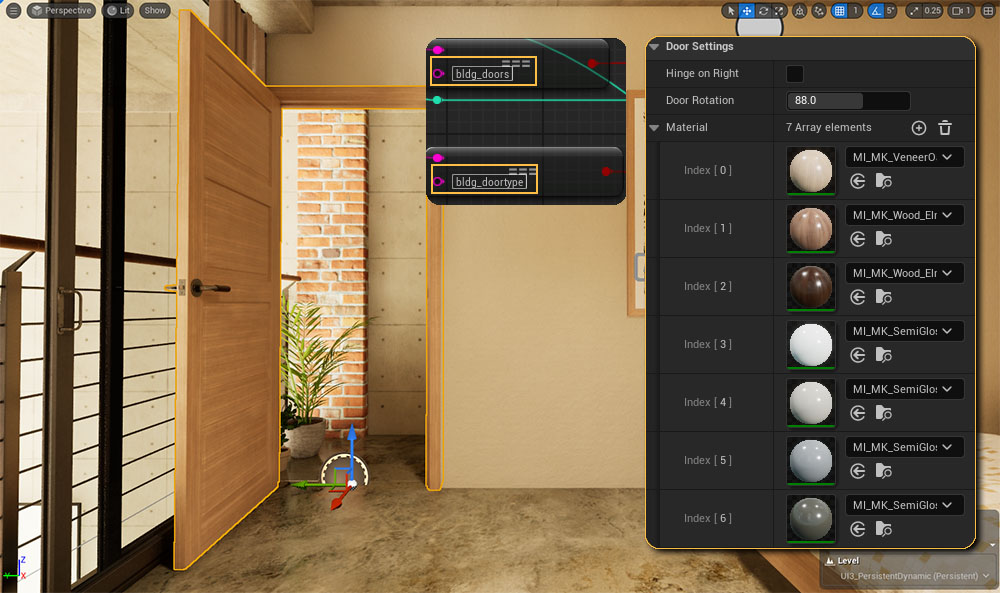
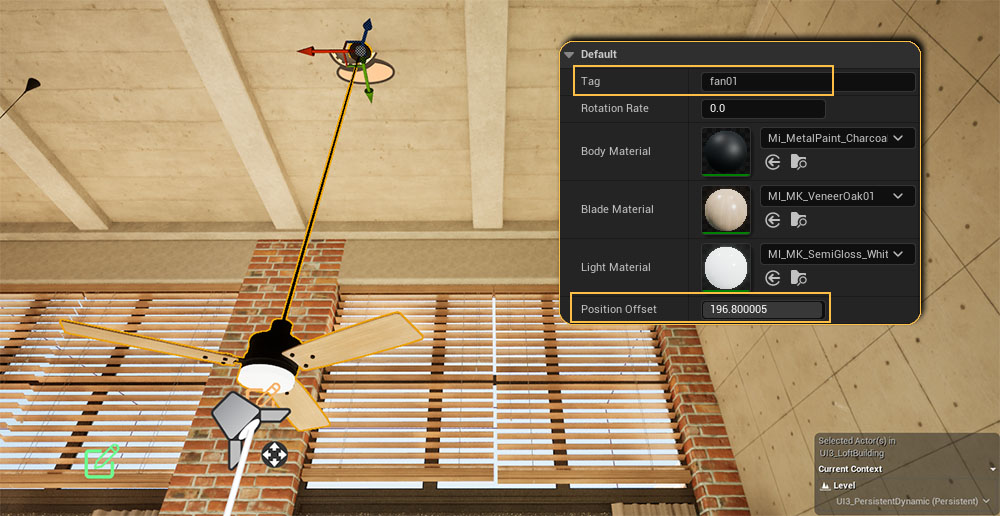
Ceiling Fan
This is a custom made blueprint to add the ceiling fan to the UI3
Tag
Use the tag to link a Variation Actor to the ceiling fan.
Position Offset
Set the length of the pipe between fixture and fan.
Speed
Speed settings are fixed within the blueprint to off-slow-medium-fast
Railing
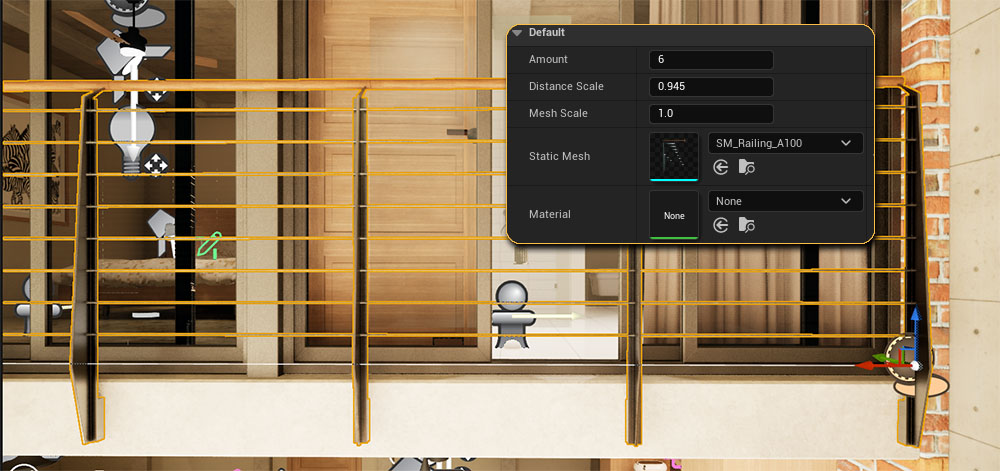
A very simple spline blueprint for the railing.
- Amount of railing segments
- Distance Scale manually scale the segments
Follow the link to get my sophisticated Spline Tools with pre-set railings and fences from FAB.
TV Player
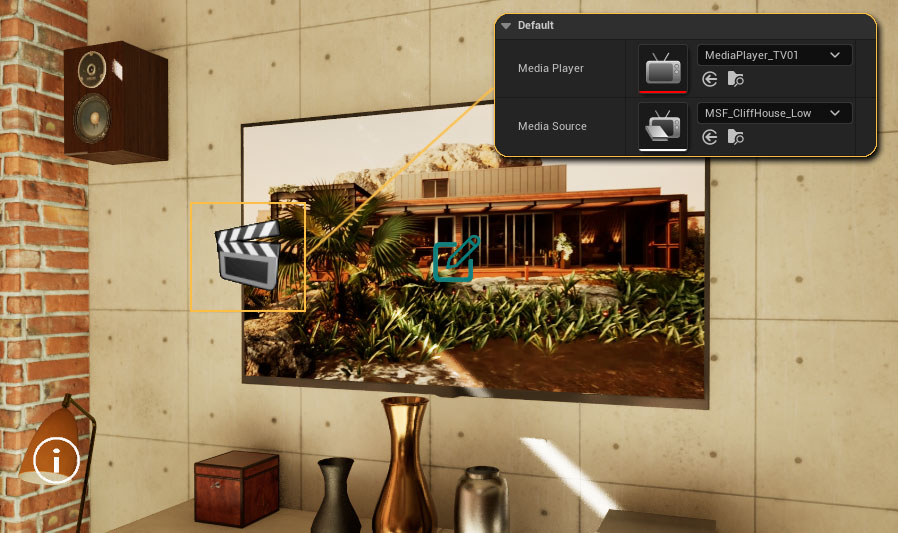
BP_TVPlayingPlays a video on a Media Texture. The blueprint starts the Media Source on Begin Play. Requirements:
- A Media Player has been created and the movie file has been imported into Unreal.
- A Media Texture has been created for the player.
- The TV Mesh has a Material with the Media Texture assigned.
The Variation Actor swaps the material that plays the video with another black one to turn the TV off.
 Top of page