Table Of Content
New in 2026
Quick Guide
Video Guides
Getting Started
UI Design
Var Actor
Edit Scene
Designer
Feat. w. Preview
Other Features
Modes
Blueprints
Cost Reports
Multi-Unit-Prj
Google Sheets
FAQ & Tips
Fix Bugs
Updating
Version History
Game Modes, Controls, VR
This section covers
- UI Presets
- Game Modes including VR
as well as a short explanation of how controller and character work together to control the UI and the player movement.
Content:
 Documentation Archive 2025
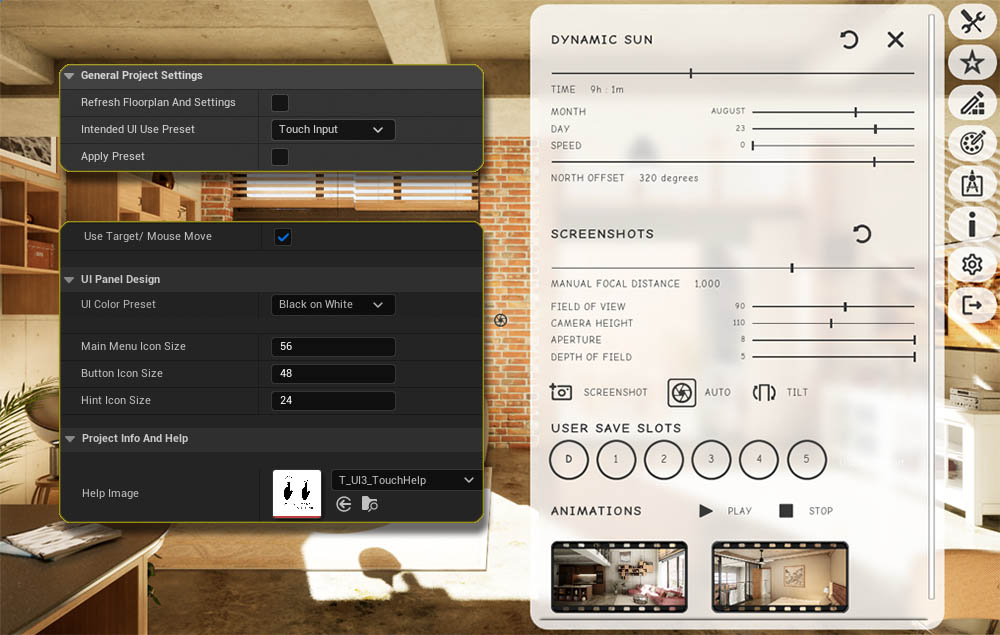
UI Presets
A UI3 project is by default set to work well for keyboard and mouse input on a PC or Windows laptop. Presets will change some of the common settings to work better with other modes, like touch or VR.
Intended UI Use Preset
- Select one of the Use Presets from the list.
- Click on Apply Preset. Changes are applied to the Info Map.
- The tick box will immediately get unticked again.
Some settings have been adjusted to better work for the selected mode, like
- Target Move
- UI Color Preset
- Controller Button Row Name
- Icon or Text sizes
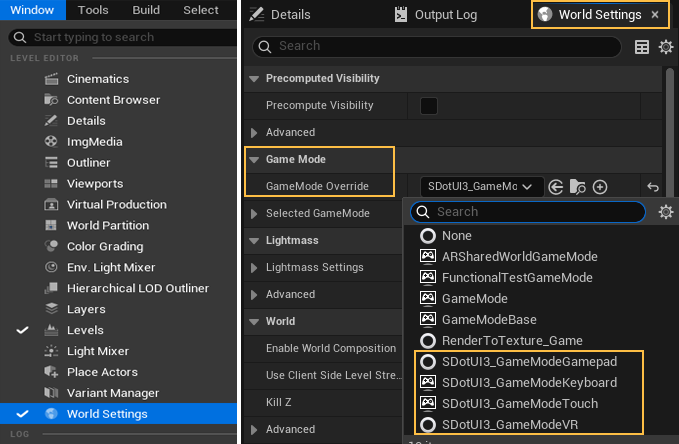
Game Mode - World Settings
Game Mode Override
One of the 4 game modes that come with the UI3 has to be set for the UI to function. The UI3 will not work without this.
The default Game Mode can also be set in the Project Settings. World Settings will override the default.
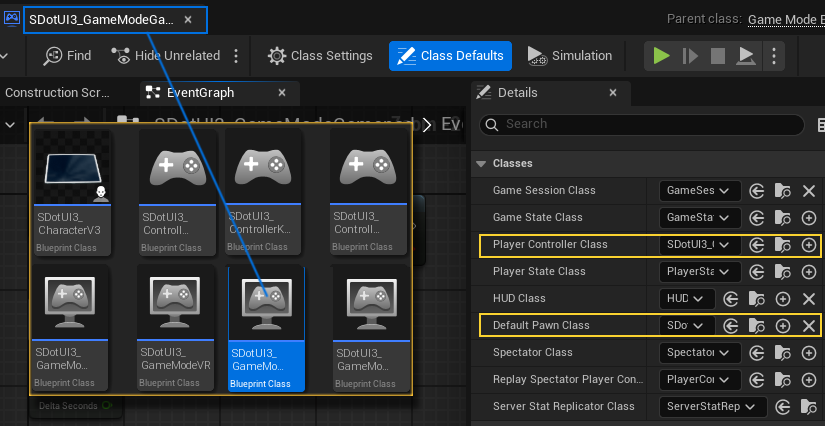
Game Mode Blueprint
The gamemode itself doesn't contain blueprint nodes. Instead it contains links to the controller and character (and other blueprints not used for the UI3).
| SDotUI3_GameMode | _Character | _Controller |
|---|---|---|
| Keyboard | V3 | KeyMouse |
| Gamepad | V3 | Gamepad |
| Touch | V3 | Touch |
| VR | V3 | Gamepad |
SDotUI3_CharacterV3
All UI3 game modes use this Character blueprint. Most blueprint code is either in the Character or in the Main Menu Widget.
Controller
Controller blueprints contain nodes that allow the selection of objects in the scene.
The * Gamepad controller has nodes for the navigation within the menu. The user can't click on an item without navigating to it first.
The * Touch controller has nodes to check if the user has clicked on something or wants to move the camera.
Input Controls
UI3 uses the Enhanced Input Controls. You don't have to do anything for it to function.
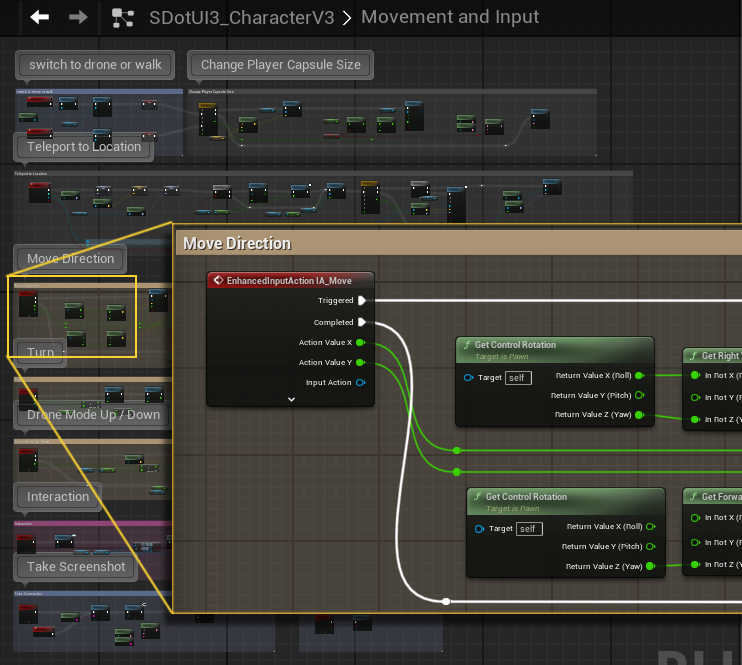
Graph Movement and Input
Most input action nodes are in a separate node graph in the Character and not in the Controller.
The blueprint nodes would be the same for gamepad and keyboard use and therefor are in the Character blueprint as this blueprint is shared in the Game Modes.
VR Game Mode
UI3 offers a limited support for VR projects. VR projects can run in PC-VR mode, where the headset is just used as a monitor.
UI3 does not support native Android projects that run on the headset without custom modifications.
VR Virtual Tablet
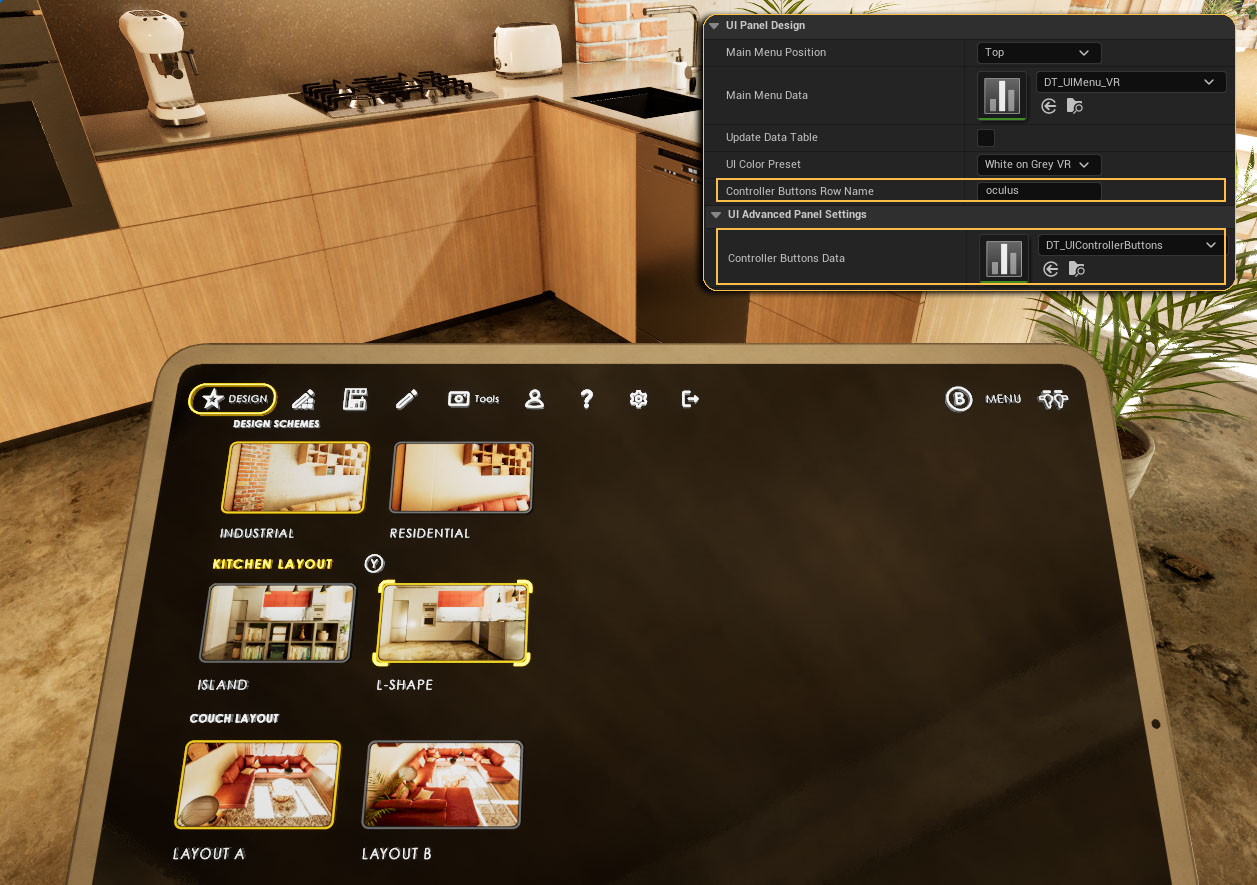
The standard UI3 menu is displayed onto a virtual tablet mesh in 3D space.
Input Controls
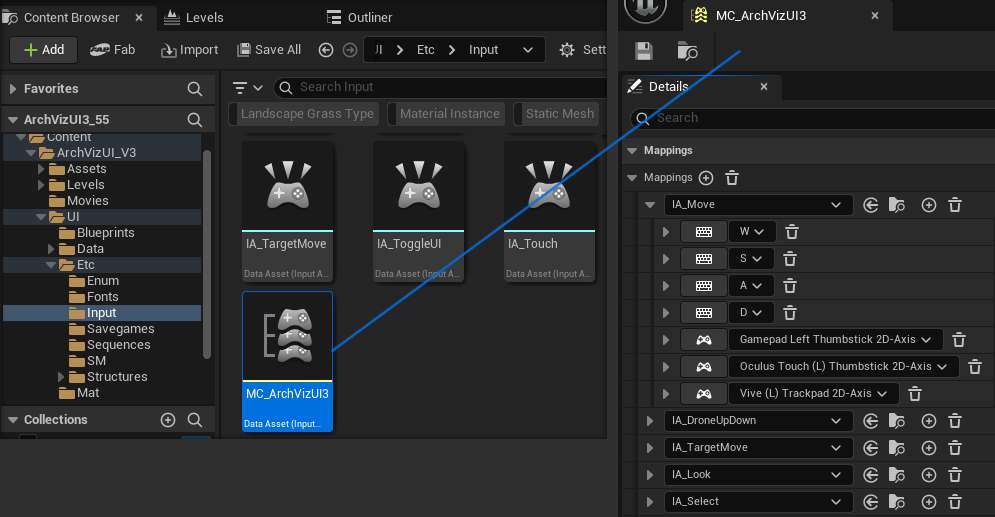
Oculus, Steam or VIVE controllers are mapped to be used with UI3. Controls can be changed in asset MC_ArchVizUI3 (Mapping Context).
A standard XBOX controller can also be used for VR projects.
Controller Button Icons can be changed in the UI Panel Settings (Advanced) by changing the Controller Icons Row Name.
 Top of page