Table Of Content

New in 2026
Quick Guide

Video Guides
Getting Started
UI Design
Var Actor

Edit Scene
Designer
Feat. w. Preview
Other Features
Modes
Blueprints
Cost Reports
Multi-Unit-Prj
Google Sheets
FAQ & Tips
Fix Bugs
Updating
Version History
Known Bugs And How To Fix Them
Known Bugs in UI3 and possible solutions if you do not want to wait for an update. This may require editing some blueprints or widgets.
Also check the FAQ section.
Content:
Crash When Adding User (2026-07)
Crash When Adding User (2026-07)
The game and editor might crash after hitting the [+ADD] button in the User Manager Widget. This only affects certain engine version, eg. 5.8
Cause
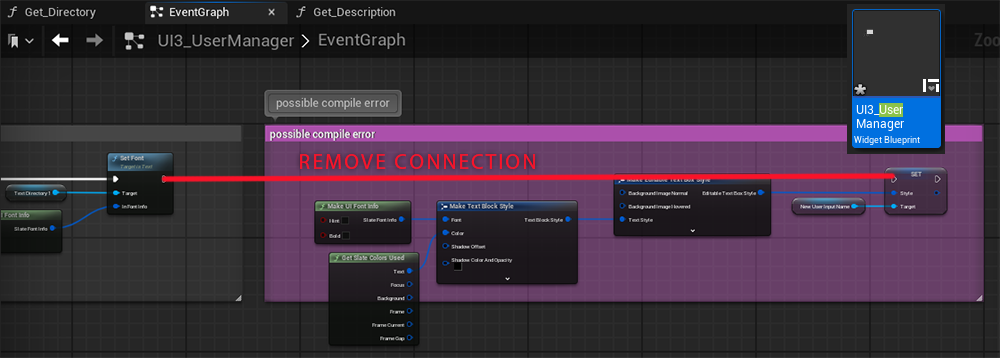
The widget blueprint node Set Style is not working with the text input box.
Workaround / Fix
- Search for the widget UI3_UserManager and open it
- Open the Event Graph (top right)
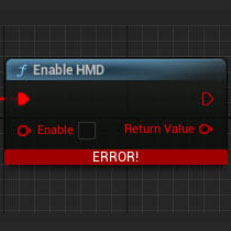
- Disconnect the white line seen red in the image (ALT+Click on the pin)
- Go back to the Designer (top right blue button)
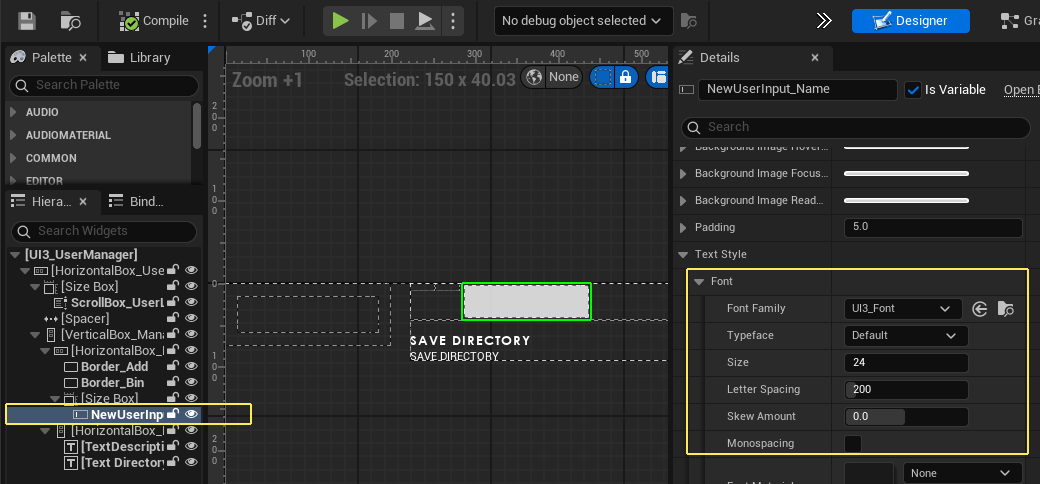
- Select the widget called NewUserInput
- Change the font size to 24 in the Details Panel
- Change the color to black further down
- Compile and Save the widget
This error seems to happen in some engine versions and then gets fixed and breaks again. This workaround avoids using the Set Style node.
Google Sheets exports not working (2026-04)
Problem and Cause
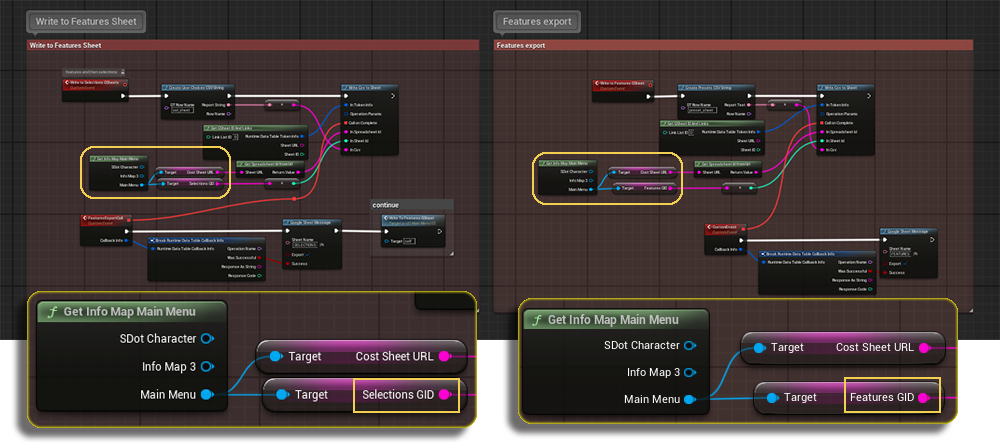
Only the Features are exported into the user's Google Sheet.
The widget UI3_MainMenu_GS might have the wrong GID variables connected.
Fix
Open the widget and navigate to the Graph window. Look at the 2 areas at the very bottom. Check if the GID's for Selections GID and Features GID are used. There might be the Costs GID variable connected instead.
Drag the replacement variables from the Main Menu pin. Compile and Save.
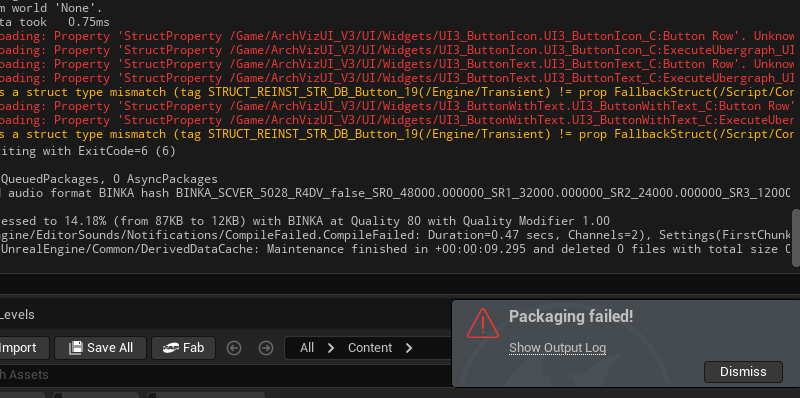
Packaging Failed (2026-04.1)
This only affects packaging, not playing in editor.
There are three widgets that need to be recompiled and saved. Nothing needs to be changed. The files are in UI/Widget
- UI3_ButtonIcon
- UI3_ButtonText
- UI3_ButtonWithText
Fixed in version 2026-04.2
Mesh Disappears while setting Mesh Variation
Bug
The mesh disappears when linked to the Variation Actor or the Mesh Variation Type is set to other than Disabled.
This is because the Actor World Transform isn't set in the variation actor. The mesh is therefor moved to position 0,0,0.
Work Around
Copy the mesh's Transform into the variation actor's Actor World Transform before linking the mesh to the variation actor.
 Get fixed Variation Actor UI3 5.5 - 2026-02
 Top of page